




Creating a home office that balances comfort and productivity can make a significant difference in how you work and feel throughout the day. Whether you’re working remotely full-time or occasionally need a dedicated space to focus, designing a cozy and efficient office can boost your motivation and enhance your work quality. In this post, we’ll explore practical tips to help you craft a home office that’s both inviting and functional.
Start with the Right Location
Choosing the right spot for your home office sets the foundation for your productivity. Aim for a space that is quiet, has good natural light, and offers enough room for your needs.
– Natural Light: Position your desk near a window if possible. Natural light can improve mood and reduce eye strain.
– Minimal Distractions: Select an area with minimal foot traffic or noise to help you focus.
– Space Availability: Consider the amount of space you need for furniture, storage, and movement.
If you don’t have an extra room, a corner of a living room or bedroom can work too, as long as it is well-defined.
Invest in Comfortable and Ergonomic Furniture
Comfort is key for long work sessions. Investing in ergonomic furniture can promote good posture and prevent discomfort.
– Ergonomic Chair: Choose a chair with adjustable height, good lumbar support, and comfortable cushioning.
– Desk Height: Your desk should allow your elbows to rest at a 90-degree angle while typing.
– Footrest: Consider a footrest to improve circulation if your feet don’t comfortably reach the floor.
Ergonomic accessories like keyboard trays, monitor stands, and wrist rests can also add to comfort.
Use Soothing Colors and Personal Touches
The colors and decor in your office influence how relaxed and focused you feel.
– Color Palette: Soft, neutral tones like light beige, soft blue, or gentle green can create a calming atmosphere.
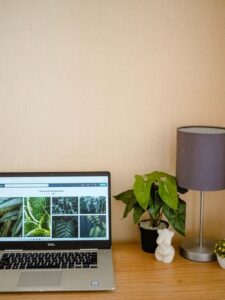
– Personal Decor: Include items that make you feel good, such as plants, artwork, or photos, but keep clutter to a minimum.
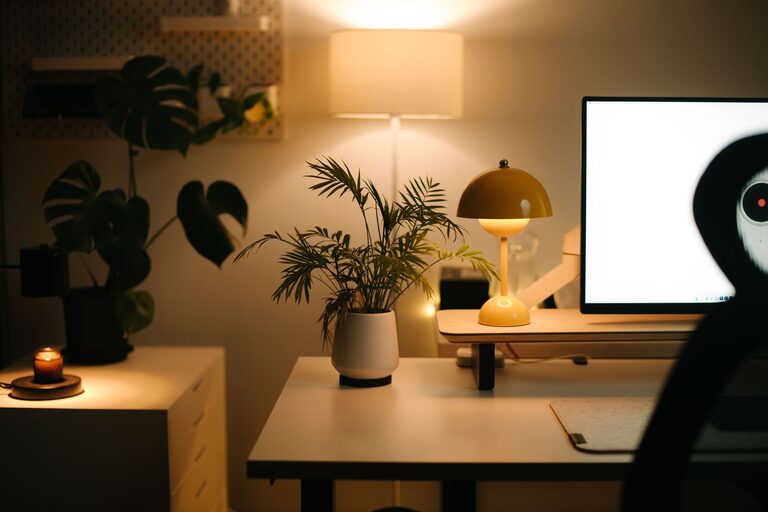
– Lighting: Besides natural light, use warm desk lamps or floor lamps to create a cozy ambience, especially during darker hours.
Balance personalization with simplicity to maintain a professional atmosphere.
Organize Your Space Efficiently
An organized workspace saves time and reduces stress.
– Storage Solutions: Use shelves, filing cabinets, or storage boxes to keep supplies organized.
– Desk Organization: Keep only essential items on your desk to maintain a clean workspace.
– Cable Management: Use clips, cable sleeves, or cord organizers to keep wires tidy.
Regularly declutter to maintain a neat and inspiring environment.
Incorporate Technology Thoughtfully
Tech tools should enhance your workflow without overwhelming your space.
– Essential Devices: A reliable computer, monitor, keyboard, and mouse are foundational.
– Peripheral Equipment: Consider adding a printer, headphones, or a second monitor if needed.
– Wireless Options: Opt for wireless devices when possible to reduce cable clutter.
Keep your tech area ventilated and clean to extend the life of your equipment.
Create Zones for Different Activities
If space allows, designating separate zones can enhance productivity.
– Work Zone: Focused workstation for computer tasks.
– Reading or Thinking Zone: A comfortable chair or small sofa for brainstorming or reading.
– Storage Zone: Dedicated area for files and supplies.
Having defined zones helps your brain differentiate between various types of work and relaxation.
Prioritize Good Air Quality and Temperature
A fresh and comfortable environment supports alertness and well-being.
– Ventilation: Open windows periodically or use an air purifier to maintain fresh air.
– Temperature Control: Ensure the room temperature is comfortable; use fans or heaters as needed.
– Plants: Adding indoor plants not only decorates but also improves air quality.
A comfortable environment minimizes distractions caused by discomfort.
Establish Routine and Boundaries
Lastly, design your home office with routines and boundaries in mind to maintain work-life balance.
– Consistent Work Hours: Stick to regular working hours to cultivate discipline.
– Start and End Rituals: Creating rituals like a morning setup and an end-of-day cleanup can help signal work time.
– Physical Boundaries: Close the office door if possible or use room dividers to separate workspace from living areas.
Clear boundaries enhance focus during work hours and relaxation afterward.
—
Designing a cozy and productive home office is about balancing functionality with comfort. By paying attention to your space’s location, furniture, organization, and atmosphere, you can create an environment that inspires focus and well-being. Implement these tips gradually and customize the setup to fit your unique preferences and work demands. A thoughtfully crafted home office will not only improve productivity but also make working from home a more enjoyable experience.

More Stories
Tips for Creating a Cozy Reading Nook in Any Space
Tips for Organizing a Clutter-Free Workspace at Home
Tips for Creating a Cozy and Functional Home Office Space